What you probably do today
Copy your skill folder onto their laptop
Fast for five minutes. Now there are two versions, no oversight, and they drift apart the first time either of you edits anything.
Move everything into a GitHub repo
Spend a day forcing your local automations into a repo — that your non-technical teammate still can't operate. Pull requests are not a UI for someone who isn't a developer.
Buy enterprise team seats
Team plans share a workspace, not your actual skills and automations — and they stop helping the moment a teammate is on a different agent.
Just don't share them
The automations stay yours, the new hire stays blocked, and the work you automated quietly turns back into manual work.
All the power of git — usable by all your team
Git is the right foundation. It's just never been usable by the people who aren't developers — and storing a skill in a repo isn't the same as getting it running on everyone's machine.
Using GitHub
- Built for developers — PRs, branches, and diffs aren't learnable in an afternoon.
- Stores the file; it doesn't install it onto each teammate's agent.
- A merge to main pushes nothing to your team — distribution is manual, per person.
- One repo, one format — it won't translate a skill across Claude, Codex, and Cursor.
- Copy a folder once and versions drift silently, with no idea who runs what.
With Skiller
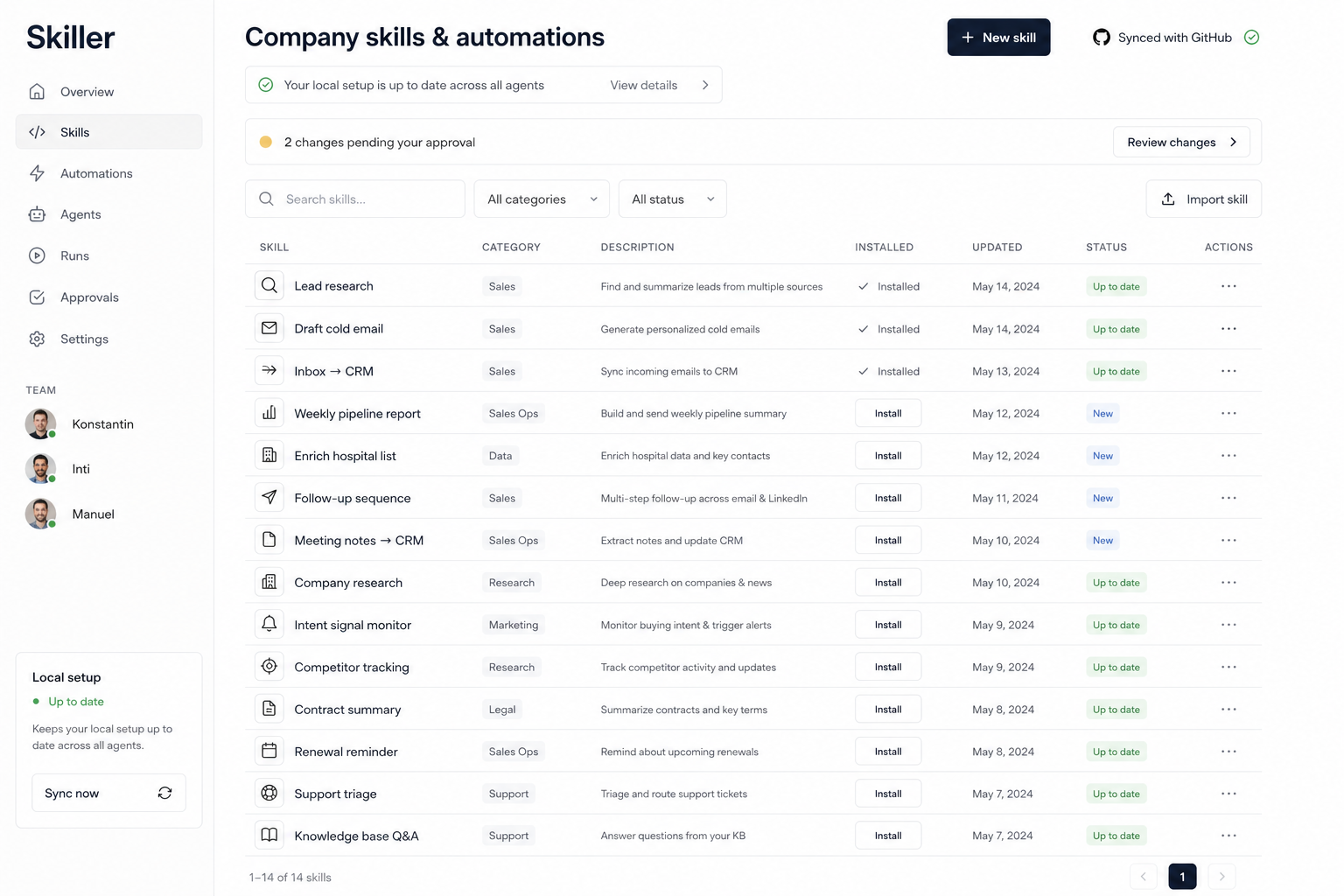
- Same git underneath, no git in front — install from a visual list in one click.
- Installs approved skills onto every machine and agent, ready to use.
- Approval is the rollout — sign off once and it's live for everyone.
- Agent-agnostic — keeps every setup in the right format and in sync.
- One source of truth in your own repo — no drift, no lock-in.
Skiller Sync Engine
How it works
- Point Skiller at the skills and automations you already have — a local folder or an existing GitHub repo. Import in one click.
- Invite your team. They open a simple view of what's available and install what they need. No terminal, no git, no setup.
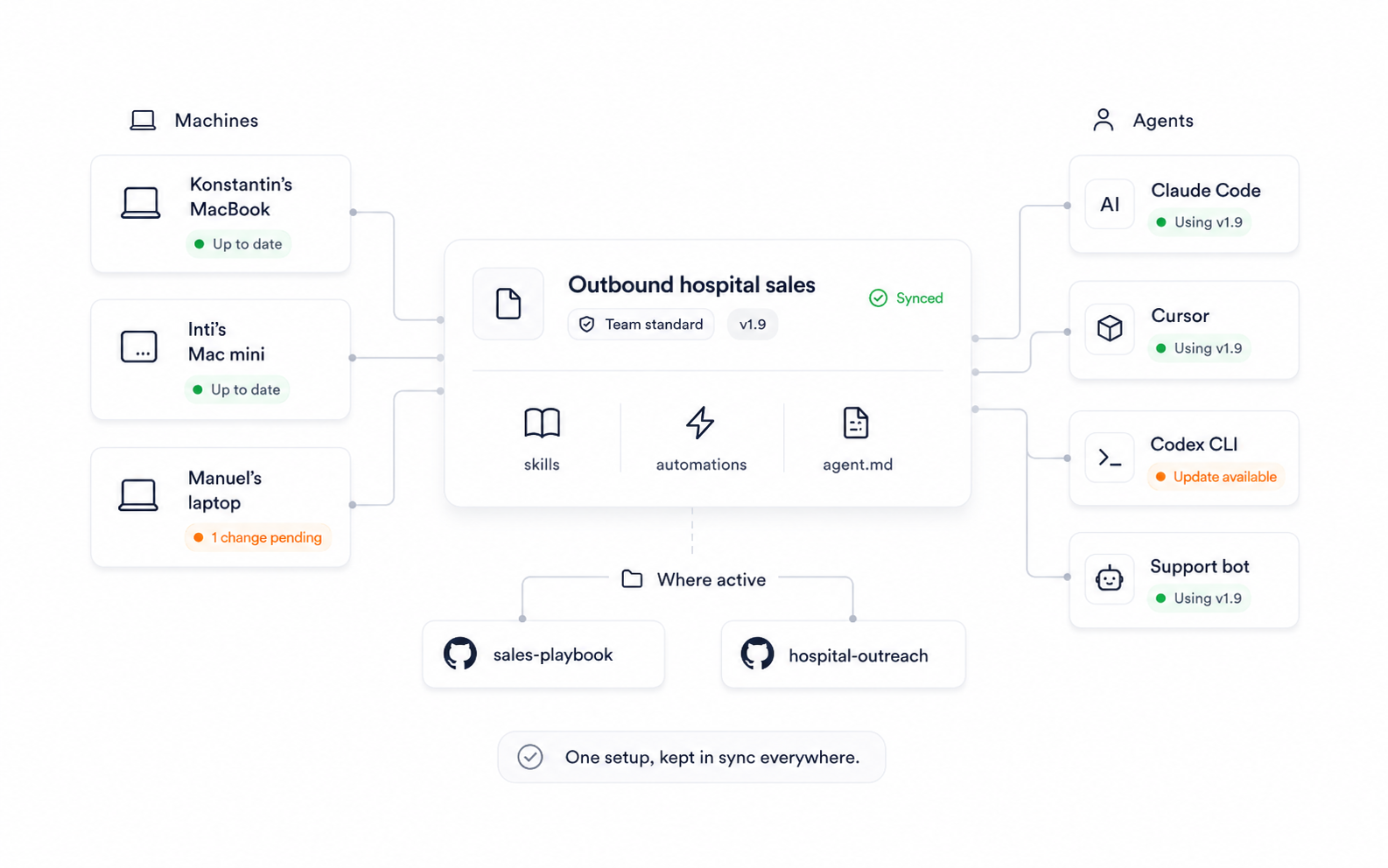
- Install Skiller on all machines — one click per teammate gets every approved skill and automation onto their laptop, ready to use.
- Anyone can propose a new skill or an edit — but nothing goes company-wide until you approve it.
- Each person keeps using their own agent (Codex, Claude, Cursor). Skiller keeps every setup in sync and exports back to GitHub anytime.
Your technical lead will sign off on this
Skiller isn't a replacement for your stack — it's the layer on top that makes it usable by everyone. Under the hood, nothing weird is happening.
It's git underneath
Real version history, branches, and review. Every approved change is a normal commit you can read, diff, and revert.
Import and export anytime
Bring your existing repo in; push everything back out whenever you want. No proprietary format, no lock-in.
It only touches setup files
Skills, automations, and agent configs — not your secrets, not your production systems. You decide what's in scope.
Keep the workflow you trust
Your team keeps git and PRs. Non-technical teammates get a friendly view of the same thing. Both read from one source of truth.
FAQ
Do my teammates need to know git?
No. That's the whole point. They open a visual list of your team's skills and automations and install what they need. Git stays under the hood for the people who want it.
Is this just a wrapper around GitHub?
Git is the storage and version history — that part stays real and inspectable. What Skiller adds on top is the thing GitHub doesn't do: a non-technical install/use experience, admin approval for every change, and keeping each person's agent in sync.
Can we self-host or export everything?
Yes. Import from your repo, export back to it whenever. Everything is plain files in your own GitHub — there's no format you'd be trapped in.
What does Skiller actually touch — our secrets, our prod systems?
Only the skill, automation, and agent-config files you point it at. It's a layer for distributing and reviewing those — not an agent that runs against your production environment.
We're all on Codex today. Does this only matter across agents?
No. The first value is within one agent: sharing your setup with a teammate and approving their changes. Working across Codex, Claude, and Cursor is there for when your team isn't all on the same tool.
What does it cost?
Early access is free while we build it with the first teams. If you sign up, you help shape what it becomes.